Getting Help
This chapter is a summary of the various ways to get help when working with Waveform.
Pop-up Help
The first source of help is pop-up help. While useful at times, you can also turn off pop-up help with Options > Help > Turn off pop-up help. Press F1 to view pop-up help for the item under the pointer. Refer to Pop-up Help for an illustrated guide to pop-up help.
Roll-over Help
Roll-over messages appear in the upper right for items under the pointer. These messages give you a description of the object under the mouse pointer.
Quick Start
If you are new to Waveform, the Quick Start chapter at the front of this manual is the fastest way to get set up and making music. It walks you from install through your first recording and export, linking to the fuller chapters as you go. You can also open this manual at any time from Help > User guide PDF.
Keyboard Shortcut List
Studying the keyboard shortcut list, is a great way to get more familiar with Waveform. Navigate to the Settings tab, Keyboard Shortcuts page. Here you will see all the assignable actions grouped by category.
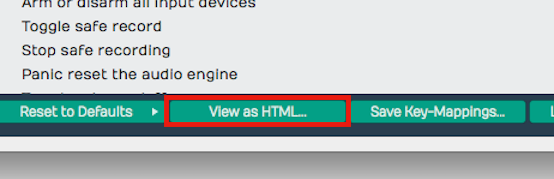
View as HTML Button
For a searchable list click View as HTML to load the current list in your web browser. From here you can search it with Cmd + F / Ctrl + F or print it out.
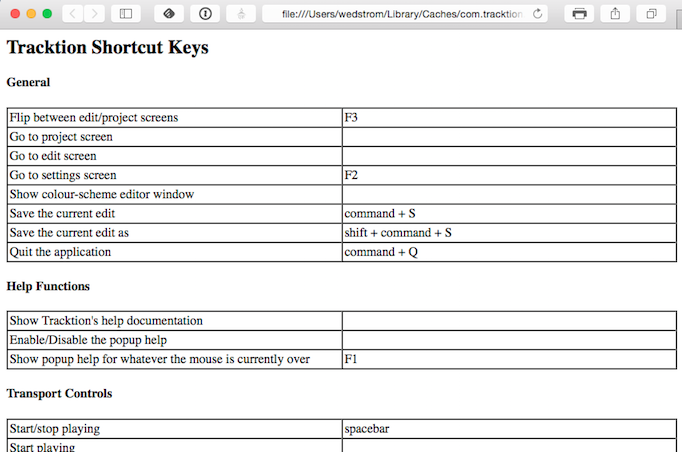
HTML View of Keyboard Shortcuts Assignments
Tracktion Videos
The official Tracktion YouTube channel is the best place for video tutorials, feature walkthroughs, and update overviews - new videos are added regularly as Waveform evolves. Browse the playlists to find videos grouped by topic.
The Waveform videos page also has a selection of training videos, and a Tracktion T7 Update Explained series is available from Groove 3, Inc - a deep resource for all things music production.
Tracktion Forums
The long term official forum for Waveform Software is hosted at KVR. This the most active Waveform forum that exists. Here you can interact with the other users, TSC staff, and developers.
There is also a growing private Tracktion Users Group on FaceBook. If you use FaceBook it's a great idea to request to be added to the group. The TSC team are also members of that group.
Also check out the Waveform Software official Facebook page for updates, news about Waveform, promo offers, and profiles of Waveform artists - "Tracktioneers."
Tracktion Support
In large part, your success with getting issues resolved, requesting features, and reporting bugs, depends on following the recommended guidelines, when filling out the request form.
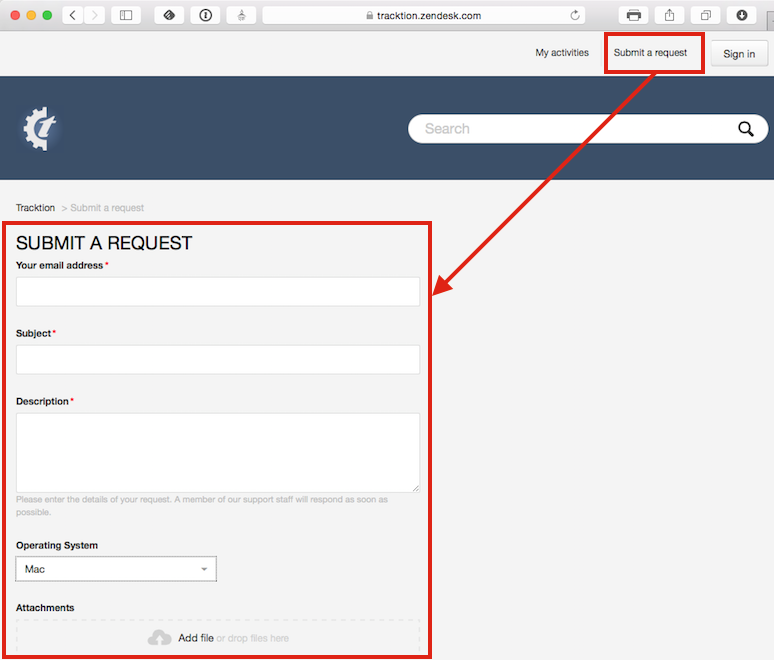
Waveform Request Form
Request Form Checklist:
- Use "FR:" in the title for feature request
- Use "BR:" Bug Report in the title for bug reports
- Include the Waveform version number (from the Waveform About box)
- Include your operating system and version
- Note your system specs like processor type and the amount of RAM
- List the steps to recreate the bug
- Attach the log file (Help > Show the Tracktion log file)
- Attach or link to screenshot or screen video
- Report one issue at a time
Follow these same guidelines when posting bugs and feature requests to the KVR Waveform Software forum.
Moving On
Those are the key ways to get help when learning and using Waveform. Next let's get into more detail on using Waveform!